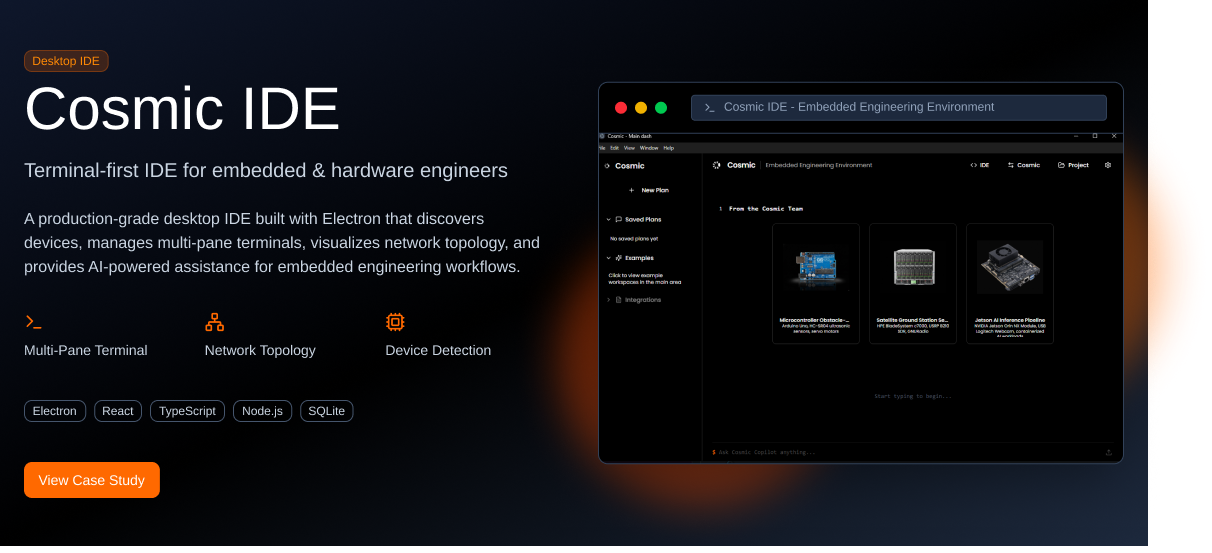
Project Overview
Cosmic IDE (formerly Spades) is a production-grade, terminal-first desktop IDE specifically designed for embedded and firmware engineers. Built with Electron, it provides a unified environment for device discovery, terminal management, network topology visualization, and AI-powered assistance—all in one powerful desktop application.
The Challenge
Embedded and hardware engineers face unique challenges in their daily workflow:
- Managing multiple device connections (USB, serial, SSH, TCP) across different terminals
- Discovering and tracking hardware devices on local networks and serial ports
- Visualizing complex network topologies and device relationships
- Maintaining session logs and documentation for debugging and compliance
- Context switching between multiple tools (terminal emulators, network scanners, documentation)
- Finding relevant documentation and troubleshooting information quickly
Existing tools were fragmented—engineers had to juggle separate applications for terminals, network scanning, documentation, and logging. The team needed an integrated solution that could handle all these workflows in a single, cohesive desktop application.
The Solution
We developed Cosmic IDE as a comprehensive desktop environment with the following core capabilities:
Intelligent Device Discovery
Automatic detection of USB devices, serial ports, and network-connected hardware with SSH scanning. Real-time status monitoring, metadata extraction, and connection management for all discovered devices.
Multi-Pane Terminal Management
Native terminal engine powered by node-pty with Zellij integration. Supports SSH, serial, TCP, and local shell connections. Features include persistent history, search, custom themes, and session restoration.
Network Topology Visualization
Interactive graph views using Cytoscape for visualizing device relationships and network architecture. Real-time updates, export capabilities, and multiple layout algorithms for complex topologies.
AI-Powered RAG Assistant
Context-aware AI assistant using Retrieval-Augmented Generation (RAG) technology. Provides instant answers with citations, understands project context, and helps troubleshoot hardware and firmware issues.
Session Logging & Documentation
Automatic logging to files with SQLite metadata storage.
Full-text search across all sessions, export capabilities, and organized document management per project and device.
Productivity Features
Command palette, keyboard shortcuts, connection favorites, recent connections, device profiles, global search, and session recording/replay for maximum efficiency.
Technologies Used
Results & Impact
Cosmic IDE has transformed how embedded engineers work by consolidating fragmented workflows into a single, powerful desktop application. Engineers can now discover devices, open terminals, visualize networks, and get AI assistance without leaving the IDE—significantly improving productivity and reducing context switching overhead.
Key Technical Challenges
Native Terminal Integration
Implementing a robust terminal engine required deep integration with node-pty for pseudo-terminal (PTY) support across Windows, macOS, and Linux. We had to handle edge cases like terminal resize events, signal handling, and proper process cleanup to prevent zombie processes.
Multi-Protocol Device Detection
Building a unified device discovery system that works across USB, serial, and network protocols required platform-specific native modules and careful abstraction. We implemented background scanning with debouncing to minimize system resource usage while maintaining real-time device updates.
IPC Performance Optimization
Managing high-frequency terminal output through Electron's IPC bridge required careful optimization. We implemented buffering strategies and efficient serialization to handle terminal streams at 115200+ baud rates without blocking the UI thread.
RAG Context Management
Implementing the AI assistant required building a sophisticated context management system that understands the current project, open terminals, connected devices, and recent session logs. We used vector embeddings and semantic search to provide relevant documentation and troubleshooting suggestions.
Ready to Build Your Desktop Application?
We specialize in developing complex Electron applications, native integrations, and developer tools. Let's discuss how we can bring your vision to life.
Contact Us